

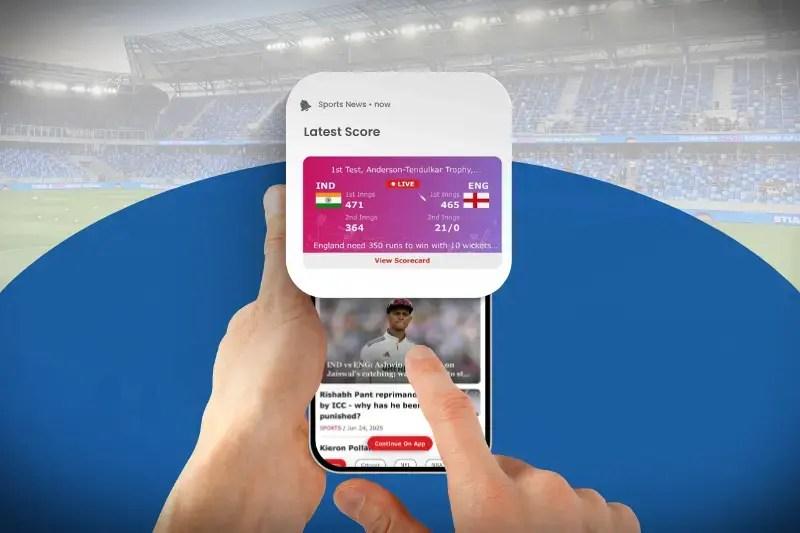
A busy sports weekend can produce more updates than any user realistically wants to receive. Cricket matches may run simultaneously with football fixtures, tennis tournaments and other live events, while betting platforms can also have information about active wagers, market changes and completed results. If every development creates a notification, a useful feature quickly becomes background noise.
This is why sports alerts are becoming less about sending the largest possible number of messages and more about giving users control over what reaches them. Instead of one general notification switch, platforms can separate match reminders, score updates, important cricket events, bet statuses and promotional messages. The result is an alert system that reflects what an individual user actually follows.
One Match Can Generate Dozens of Possible Updates
Live sport naturally produces frequent events. A cricket match alone can include wickets, boundaries, innings changes, milestones, delays and a final result. Football has goals, cards, substitutions and match-status changes, while tennis can generate updates after sets, breaks of serve or completed matches.
The platform therefore has to decide which events deserve to interrupt the user. Sending everything is rarely the best solution because the value of an alert depends on the person receiving it. Someone following a cricket match closely may want every wicket, while another user may care only about the final score.
| Alert type | When it can be useful |
|---|---|
| Match reminder | Shortly before an followed event starts |
| Wicket or goal | During an important live match |
| Innings or period update | At a natural break in play |
| Odds change | When a selected market changes significantly |
| Bet status | When an existing wager changes state |
| Final result | After the event finishes |
Providing categories makes these differences easier to manage than treating every sports notification as identical.
Cricket Shows Why Customization Matters
Cricket is particularly suitable for personalized alerts because a match can last for hours and contain many meaningful events. A user may not want to keep the event page open throughout an entire innings, but they may still want to know when a wicket falls or when the second innings begins.
Different formats also create different expectations. A T20 match moves quickly, making frequent alerts more relevant, while a Test match can continue across several days. Sending notifications with the same frequency for both formats would ignore how differently people follow them.
A better system can allow users to choose the level of detail. Someone might follow only the result of a Test match while requesting wickets and innings updates during a shorter match. The sport remains the same, but the desired notification behaviour changes with context.
Favorite Teams Can Become a Useful Filter
One way to reduce unnecessary notifications is to connect alerts with favorites. Instead of asking users to configure every match individually, a platform can allow them to follow particular teams, competitions or sports.
A cricket fan following India, for example, may want reminders when the team is playing without receiving equivalent alerts for every other international fixture. Someone interested in one football league can apply the same logic there.
Favorites can therefore act as a first layer of filtering:
- selected teams and players;
- preferred competitions;
- particular sports;
- upcoming followed matches;
- specific markets or event types.
The purpose is not simply personalization for its own sake. It reduces the amount of information the user has to ignore.
Match Alerts and Betting Alerts Should Remain Distinct
Sports information and account information serve different purposes. A wicket notification tells the user what happened in the match. A bet-status notification tells them what happened to something associated with their account.
Combining both into one category can make settings unnecessarily confusing. A user may want to disable general sports updates while continuing to receive important information about existing wagers.
Clear notification settings can therefore separate categories such as sports events, active bets, account activity and marketing. This gives users a better understanding of what they are turning on or off.
| Category | Example |
|---|---|
| Sports | Goal, wicket or final score |
| Betting | Bet accepted or settled |
| Market | Selected odds or market update |
| Account | Security or transaction information |
| Marketing | Offers and promotional campaigns |
This separation becomes particularly important when platforms offer many different services through the same account.
Odds Alerts Need Careful Context
An odds-change notification can be useful, but a price moving from one number to another does not explain why it changed or what will happen next. Platforms therefore need to avoid presenting movement as a prediction.
A simple alert can show the market, previous price and current price without suggesting that the new number represents a guaranteed opportunity. The user receives factual information and can decide whether it matters.
Frequency is another consideration. Live odds can move repeatedly within seconds, especially during active periods of a match. Sending a notification for every adjustment would be impractical. Platforms can instead reserve alerts for selected markets, meaningful movements or user-defined conditions where those features are available.
Too Many Alerts Reduce the Value of Every Alert
Notifications compete for attention not only with each other but with messages from every other application on a phone. If a sports platform sends updates too frequently, users may begin dismissing them automatically or disable notifications entirely.
This creates a simple design problem: an alert has value only when the user believes opening it is worthwhile. Platforms therefore benefit from being selective rather than treating every possible interaction as a reason to send another push message.
Several practices can help keep alerts useful:
- allow users to choose which sports or teams they follow;
- separate sporting events from account notifications;
- avoid repeatedly sending similar updates;
- make notification categories easy to change;
- provide clear descriptions of what each setting controls.
The best alert system is not necessarily the most active one. It is the one that communicates the right information at a useful moment.
Timing Matters as Much as Content
A notification about a match beginning soon is useful before the event starts but almost pointless twenty minutes later. The same applies to a wicket or goal alert. Live sports information loses much of its value when it arrives too late.
At the same time, platforms need to recognize that different data sources and mobile notification systems can introduce delays. An alert should therefore describe an event clearly without pretending that every device receives it at exactly the same instant.
Time zones add another layer for international sport. A fixture displayed at one local time may take place in the middle of the night for another user. Platforms that understand local time and user preferences can avoid making reminders unnecessarily disruptive.
Notification Settings Are Becoming Part of the User Experience
Alert controls used to be hidden inside general application settings, often behind little more than an on/off switch. As sports platforms contain more live information, notification management becomes a more visible part of the interface.
Users should be able to understand what they are subscribed to without navigating through several unrelated menus. A match page might offer a simple follow button, while a central notification area provides more detailed control over teams, competitions and alert types. This creates a useful balance. Following something can remain quick, while users who want greater control can fine-tune their preferences later.
Good Alerts Help Users Follow Sport Without Watching Every Screen
The main value of sports notifications is simple: people cannot watch every event continuously. A cricket fan may be working while a match is underway, following another game or simply away from the platform.
Well-designed alerts allow the platform to communicate the moments that matter without demanding constant attention. A wicket, match start or final result can bring the user back when there is genuinely something new to see.
Personalization makes that system more effective because “important” means different things to different people. One user follows every wicket in a particular cricket series; another wants only final results. Someone else cares primarily about changes affecting an existing bet.
As betting platforms become richer sports-information interfaces, the quality of their notification systems matters more. Giving users greater control over teams, events and alert categories can make notifications less intrusive while making the messages that remain considerably more useful.